React Native
Stream and broadcast on iOS and Android with the React Native SDK
Full demo source code: react-native-native-frame-demo
The demo above lives in the shared nativeframe GitHub organization. That organization
name is part of the repository's address, not a reference to a different product — the
SDK it demonstrates is the one documented here, and you install it from
Native Frame's registry as described below.
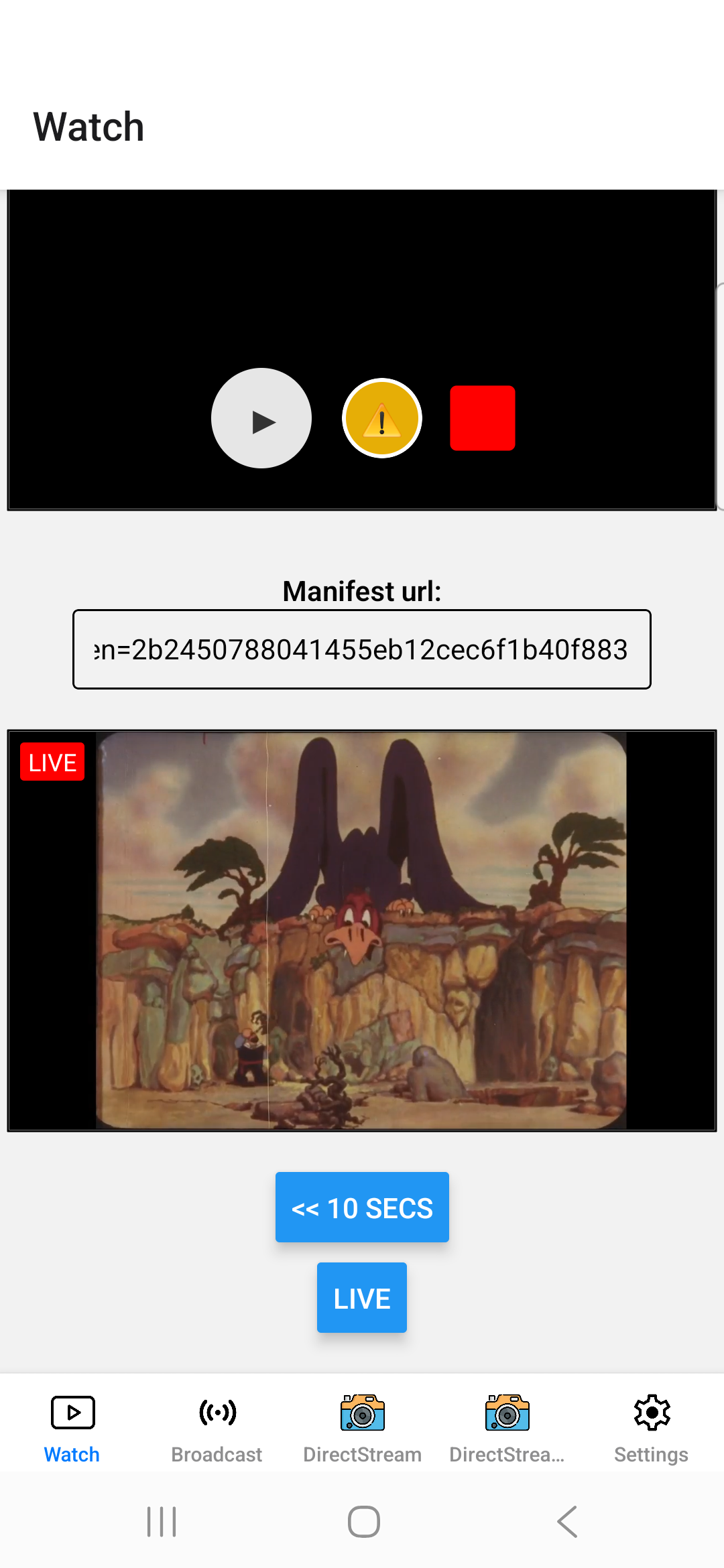 | 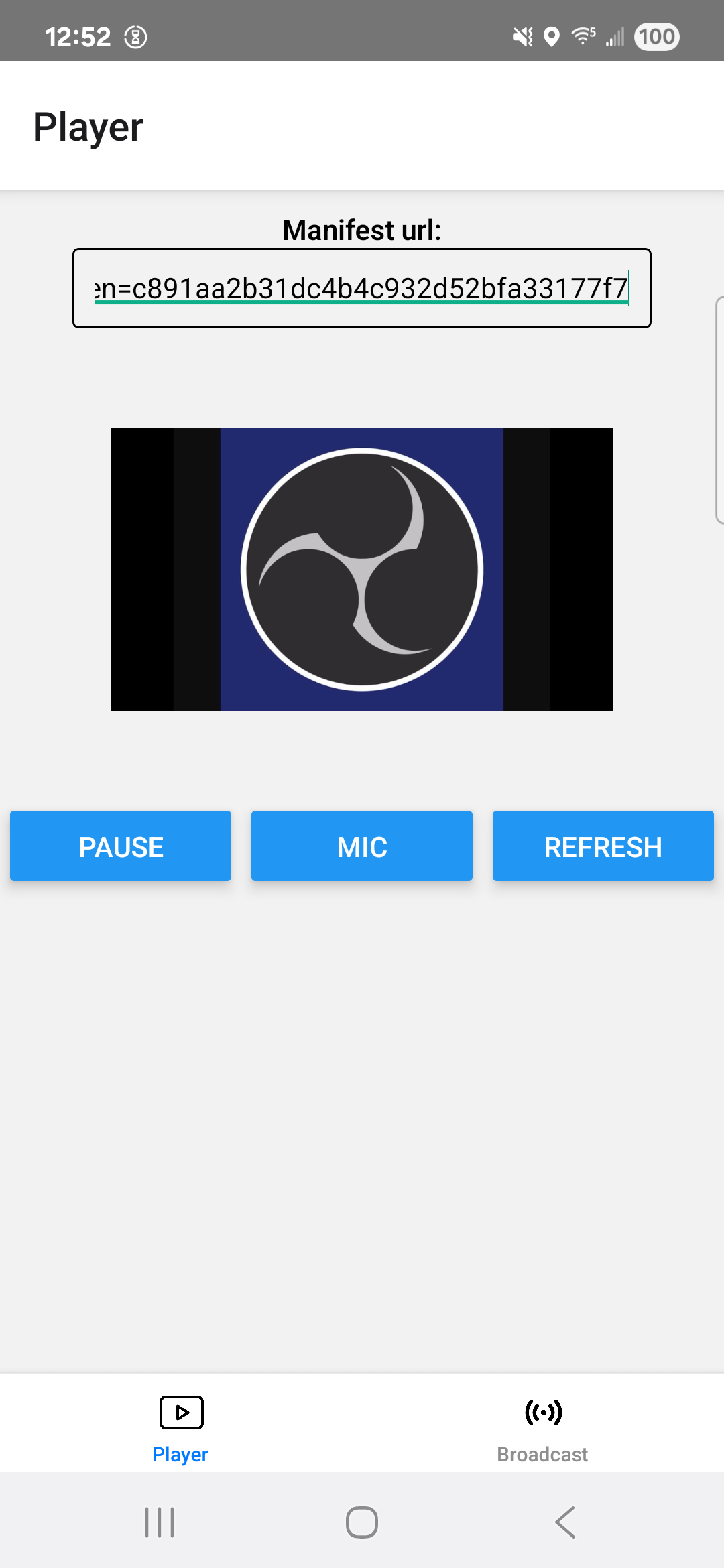 | 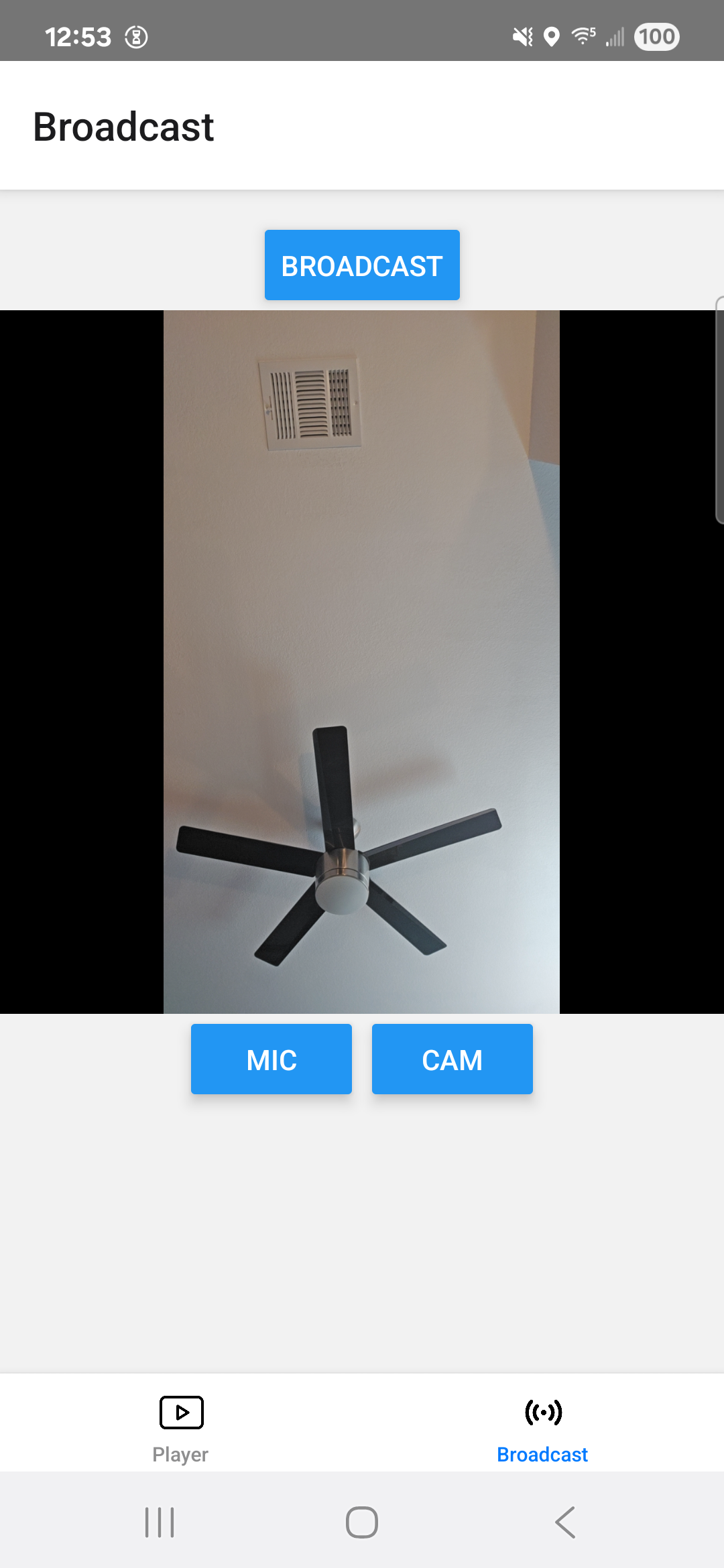 |
Running the demo
cd test-app
yarn

yarn android
yarn ios
New to React Native?
If you're new to React Native, we recommend reviewing the official React Native Getting Started Guide to familiarize yourself with the framework and development environment setup.
Using @video/react-native-sdk
React Native SDK for video streaming.
Features
- Live video streaming with WebRTC and HLS support
- Live broadcasting with camera preview and optional controls
- Cross-platform - iOS and Android support
- Automatic fallback between WebRTC and HLS
Installation
Install SDK and Dependencies
yarn
# Install SDK
yarn add @video/react-native-sdk

# Install required peer dependencies with specific versions
yarn add react-native-video@6.19.0 \
         react-native-webrtc@124.0.6 \
         @react-native-picker/picker@2.11.1 \
         react-native-safe-area-context@5.5.1 \
         react-native-screens@4.16.0
npm
# Install SDK
npm install @video/react-native-sdk

# Install required peer dependencies with specific versions
npm install react-native-video@6.19.0 \
           react-native-webrtc@124.0.6 \
           @react-native-picker/picker@2.11.1 \
           react-native-safe-area-context@5.5.1 \
           react-native-screens@4.16.0
pnpm
# Install SDK
pnpm add @video/react-native-sdk

# Install required peer dependencies with specific versions
pnpm add react-native-video@6.19.0 \
         react-native-webrtc@124.0.6 \
         @react-native-picker/picker@2.11.1 \
         react-native-safe-area-context@5.5.1 \
         react-native-screens@4.16.0
iOS Additional Setup
cd ios && pod install
NPM Scope Configuration
Important: Before installing the SDK, developers must configure their npm scope to access the @video packages from our registry.
Configure NPM Registry
Add the following configuration to your project:
For yarn users
Create or update .yarnrc.yml in your project root:
npmScopes:
  video:
    npmRegistryServer: https://npm-packages.nativeframe.com/
For npm users
Run the following command or add to .npmrc:
npm config set @video:registry https://npm-packages.nativeframe.com/
For pnpm users
Add to .npmrc in your project root:
@video:registry=https://npm-packages.nativeframe.com/
One-Line Installation
yarn
yarn add @video/react-native-sdk react-native-video@6.19.0 react-native-webrtc@124.0.6 @react-native-picker/picker@2.11.1 react-native-safe-area-context@5.5.1 react-native-screens@4.16.0
npm (7+)
npm install @video/react-native-sdk react-native-video@6.19.0 react-native-webrtc@124.0.6 @react-native-picker/picker@2.11.1 react-native-safe-area-context@5.5.1 react-native-screens@4.16.0
pnpm
pnpm add @video/react-native-sdk react-native-video@6.19.0 react-native-webrtc@124.0.6 @react-native-picker/picker@2.11.1 react-native-safe-area-context@5.5.1 react-native-screens@4.16.0
Quick Start
See:
Player Example
import React from 'react';
import { View } from 'react-native';
import { VideoPlayer, getSession } from '@video/react-native-sdk';

export default function App() {
  const mySession = getSession({
    backendEndpoint: '<your backend endpoint>',
    displayName: 'React-Native Demo',
    streamName: 'react-native-demo'
  });

  return (
    <View style={{ flex: 1 }}>
      <VideoPlayer
        manifestUrl="<manifest URL>"
        session={mySession}
        style={{ backgroundColor: '#000' }}
      />
    </View>
  );
}
Broadcasting Example
import React from 'react';
import { View } from 'react-native';
import { Encoder, getSession } from '@video/react-native-sdk';

export default function BroadcastApp() {
  const mySession = getSession({
    backendEndpoint: '<your backend endpoint>',
    displayName: 'React-Native Demo',
    streamName: 'react-native-demo'
  });

  return (
    <View style={{ flex: 1 }}>
      <Encoder session={mySession} />
    </View>
  );
}
API Reference
NEW: VideoPlayer Component
IMPORTANT: HLS-Only Video Player
The VideoPlayer component is a simplified video player that only supports HLS streaming (no WebRTC). It automatically falls back to HLS when WebRTC is not available, making it ideal for scenarios where you need reliable HLS-only playback.
Key Features
- HLS-only streaming (WebRTC support removed)
- Live DVR support with automatic mode switching
- Rewind, seek, and go-live functionality
- Smooth transitions between live and DVR modes
VideoPlayer Props
| Prop | Type | Default | Description |
|---|---|---|---|
manifestUrl | string | - | Required - Manifest URL for streaming |
session | Session | - | Required - User session for authentication |
autoplay | boolean | false | Start playback automatically when ready |
muted | boolean | false | Start with audio muted |
preferredScoreLevel | TranscodeScoreLevel | SourceScoreLevel | - | Preferred quality level |
videoClientOptions | VideoClientOptions | - | Additional video client configuration options |
debounceInitTime | number | 500 | Debounce time for initialization in milliseconds |
delegate | VideoPlayerDelegate | - | Delegate for handling player events |
style | ViewStyle | - | Style object for the video container |
children | ReactNode | - | Custom UI elements to overlay on the video |
key | string | number | - | React key prop |
progressUpdateInterval | number | - | Progress updates interval in milliseconds |
resizeMode | ResizeMode | - | Video resize mode ('contain', 'cover', 'stretch') |
preventsDisplaySleepDuringVideoPlayback | boolean | true | Prevents device screen sleeping during playback |
allowsExternalPlayback | boolean | true | Allows video to be played on external devices |
paused | boolean | false | Controls video playback state |
rate | number | 1.0 | Playback speed rate |
onProgress | function | - | Callback for playback progress updates |
onLoad | function | - | Callback function called when video loads |
onEnd | function | - | Callback function called when video ends |
onError | function | - | Callback function called on video error |
onFullscreenPlayerDidDismiss | function | - | Callback when fullscreen player is dismissed |
onPlaybackStateChanged | function | - | Callback when playback state changes |
onLiveDvrStateChange | function | - | Callback when transitioning between live and DVR modes |
ref | RefObject<any> | RefObject<VideoPlayerMethods> | - | Ref object for accessing VideoPlayer methods |
VideoPlayer Ref Methods
The VideoPlayer component exposes the following methods through ref:
rewind(seconds: number): void;
seekTo(seek: number): void;
goLive(): void;
refetch(): void;
VideoPlayer Example
import React, { useRef } from 'react';
import { View, Button } from 'react-native';
import { VideoPlayer, VideoPlayerMethods, getSession } from '@video/react-native-sdk';

export default function HLSPlayerApp() {
  // You can also use <any> or extend VideoPlayerMethods for custom ref typing
  const videoRef = useRef<VideoPlayerMethods>(null);
  const mySession = getSession({
    backendEndpoint: '<your backend endpoint>',
    displayName: 'React-Native Demo',
    streamName: 'react-native-demo'
  });

  const handleRewind = () => {
    videoRef.current?.rewind(10); // Rewind 10 seconds
  };

  const handleSeekTo = () => {
    videoRef.current?.seekTo(30); // Seek to 30 seconds
  };

  const handleGoLive = () => {
    videoRef.current?.goLive(); // Jump to live edge
  };

  const handleRefetch = () => {
    videoRef.current?.refetch();
  };

  return (
    <View style={{ flex: 1 }}>
      <VideoPlayer
        ref={videoRef}
        manifestUrl="<manifest URL>"
        session={mySession}
        autoplay={true}
        style={{ width: '100%', height: 200 }}
        onLoad={() => console.log('Video loaded')}
        onError={(error) => console.error('Video error:', error)}
      />
      <View style={{ flexDirection: 'row', justifyContent: 'space-around', marginTop: 10 }}>
        <Button title="Rewind 10s" onPress={handleRewind} />
        <Button title="Seek to 30s" onPress={handleSeekTo} />
        <Button title="Go Live" onPress={handleGoLive} />
        <Button title="Refetch" onPress={handleRefetch} />
      </View>
    </View>
  );
}
When to use VideoPlayer vs ManifestPlayer
- Use VideoPlayer for HLS-only streaming with better performance
- Use ManifestPlayer for WebRTC + HLS support with automatic fallback
ManifestPlayer
The main component for video stream playing with WebRTC and HLS support.
Props
| Prop | Type | Default | Description |
|---|---|---|---|
manifestUrl | string | - | Required - Manifest URL for streaming |
session | Session | - | Required - User session for authentication |
players | ('webrtc' | 'native-hls')[] | [{ id: 'webrtc' }] | Array of player drivers to use |
autoplay | boolean | false | Start playback automatically when ready |
muted | boolean | false | Start with audio muted |
preferredScoreLevel | TranscodeScoreLevel | SourceScoreLevel | - | Preferred quality level |
videoClientOptions | VideoClientOptions | - | Additional video client configuration options |
debounceInitTime | number | 500 | Debounce time for initialization in milliseconds |
delegate | ManifestPlayerDelegate | - | Delegate for handling player events |
children | function | - | Render prop function receiving manifestPlayer instance |
Example
import React from 'react';
import { ManifestPlayer, ManifestPlayerVideo, getSession } from '@video/react-native-sdk';

export default function PlayerApp() {
  const mySession = getSession({
    backendEndpoint: '<your backend endpoint>',
    displayName: 'React-Native Demo',
    streamName: 'react-native-demo'
  });

  return (
    <ManifestPlayer
      manifestUrl="<manifest URL>"
      session={mySession}
      autoplay
      muted={false}
    >
      {({ manifestPlayer }) => (
        <ManifestPlayerVideo manifestPlayer={manifestPlayer} />
      )}
    </ManifestPlayer>
  );
}
ManifestPlayerVideo
Video player UI component with optional controls.
Props
| Prop | Type | Default | Description |
|---|---|---|---|
manifestPlayer | ManifestPlayer | - | Required - Player instance |
style | ViewStyle | - | Style object for the video container |
showControls | boolean | false | Show play/pause/refresh controls (WebRTC only) |
showDriver | boolean | false | Show current driver info |
showQualitySelect | boolean | false | Show quality selection dropdown |
ManifestPlayerVideoCustomControls
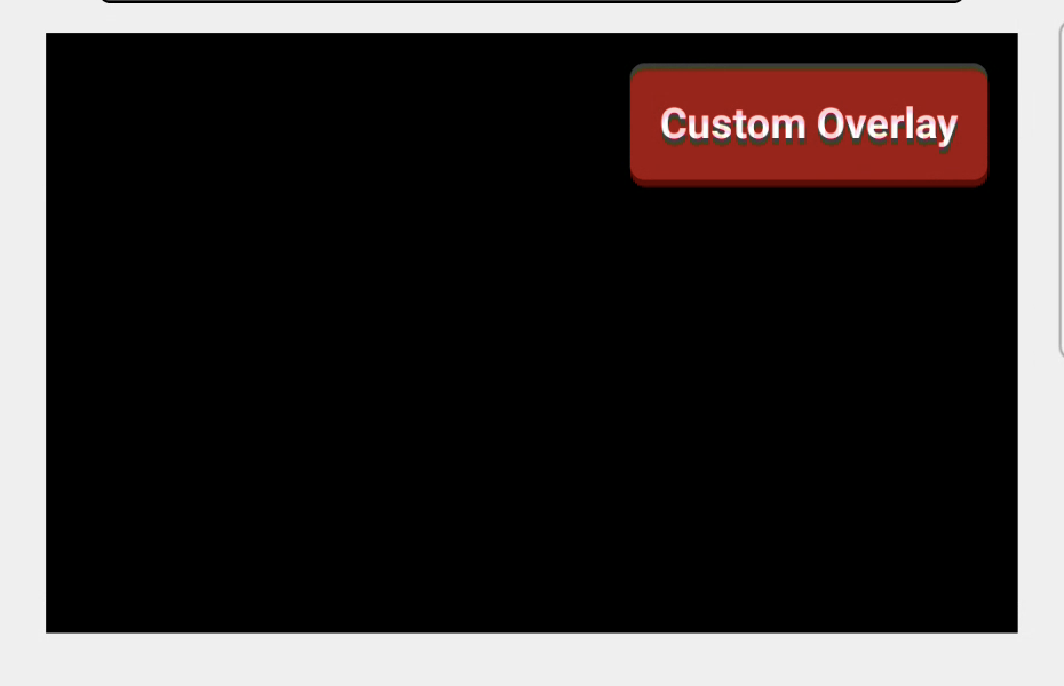
Video player component that allows custom overlay UI elements.
Props
| Prop | Type | Default | Description |
|---|---|---|---|
manifestPlayer | ManifestPlayer | - | Required - Player instance |
style | ViewStyle | - | Style object for the video container |
key | string | number | - | React key prop |
children | ReactNode | - | Custom UI elements to overlay on the video |
ref | RefObject<any> | - | Ref object for accessing video element methods |
progressUpdateInterval | number | - | Progress updates interval in milliseconds |
resizeMode | ResizeMode | - | Video resize mode ('contain', 'cover', 'stretch') |
preventsDisplaySleepDuringVideoPlayback | boolean | true | Prevents device screen sleeping during playback |
allowsExternalPlayback | boolean | true | Allows video to be played on external devices |
paused | boolean | false | Controls video playback state |
muted | boolean | false | Start with audio muted |
rate | number | 1.0 | Playback speed rate |
onProgress | function | - | Callback for playback progress updates |
onLoad | function | - | Callback function called when video loads |
onEnd | function | - | Callback function called when video ends |
onError | function | - | Callback function called on video error |
onFullscreenPlayerDidDismiss | function | - | Callback when fullscreen player is dismissed |
onPlaybackStateChanged | function | - | Callback when playback state changes |
Example
import React from 'react';
import { View, Text } from 'react-native';
import { ManifestPlayer, ManifestPlayerVideoCustomControls, getSession } from '@video/react-native-sdk';

export default function CustomPlayerApp() {
  const mySession = getSession({
    backendEndpoint: '<your backend endpoint>',
    displayName: 'React-Native Demo',
    streamName: 'react-native-demo'
  });

  return (
    <ManifestPlayer
      manifestUrl="<manifest URL>"
      session={mySession}
      autoplay
    >
      {({ manifestPlayer }) => (
        <ManifestPlayerVideoCustomControls
          style={{ backgroundColor: '#000000' }}
          manifestPlayer={manifestPlayer}
          onLoad={() => console.log('loaded')}
        >
          {/* Custom UI overlay */}
          <View style={{ position: 'absolute', top: 10, right: 10, backgroundColor: '#F01B1B' }}>
            <Text style={{ color: 'white' }}>Custom Overlay</Text>
          </View>
        </ManifestPlayerVideoCustomControls>
      )}
    </ManifestPlayer>
  );
}
Encoder
Component for live video broadcasting with camera preview.
Props
| Prop | Type | Default | Description |
|---|---|---|---|
session | Session | - | Required - User session for authentication |
Example
import React from 'react';
import { View } from 'react-native';
import { Encoder, getSession } from '@video/react-native-sdk';

export default function BroadcastApp() {
  const mySession = getSession({
    backendEndpoint: '<your backend endpoint>',
    displayName: 'React-Native Demo',
    streamName: 'react-native-demo'
  });

  return (
    <View style={{ flex: 1 }}>
      <Encoder session={mySession} />
    </View>
  );
}
Features
- Live camera preview
- One-tap broadcasting
- Front camera setup by default
Utilities
getSession
Creates and returns a session object for authentication with the video streaming service.
Parameters:
| Parameter | Type | Required | Description |
|---|---|---|---|
backendEndpoint | string | Yes | Your backend endpoint URL |
displayName | string | Yes | Display name for the session |
streamName | string | Yes | Unique stream identifier |
debug | boolean | No | Enable debug mode (default: false) |
supportWebRTC | boolean | No | Enable WebRTC support (default: true) |
Returns: Session object
Important Notes
- Do not skip other dependencies - Needed for React Native's native linking requirements
- Version compatibility is critical - Use the specified versions for best results
- iOS users must run
pod installafter installing native modules - SDK requires camera/microphone permissions on device
Troubleshooting
Video not showing with manifestUrl
Possible causes:
- Manifest URL is incorrect or unreachable
- Network permissions not configured
Requirements
- React Native: >= 0.78.0
- React: >= 18.2.0
- iOS: >= 15.1
- Android: >= API 24 (Android 7.0)
Permissions in your app that uses the sdk
iOS (ios/[your app]/Info.plist)
<key>NSCameraUsageDescription</key>
<string>This app needs camera access for video streaming</string>
<key>NSMicrophoneUsageDescription</key>
<string>This app needs microphone access for audio streaming</string>
Android (android/app/src/main/AndroidManifest.xml)
<uses-permission android:name="android.permission.CAMERA" />
<uses-permission android:name="android.permission.RECORD_AUDIO" />
<uses-permission android:name="android.permission.INTERNET" />